Marking cells as sidecars
Some docker containers are less important than others. In this section, we'll mark such containers as sidecars to give them distinct visual appearance.
Step 1: Decide how to mark resources as sidecars
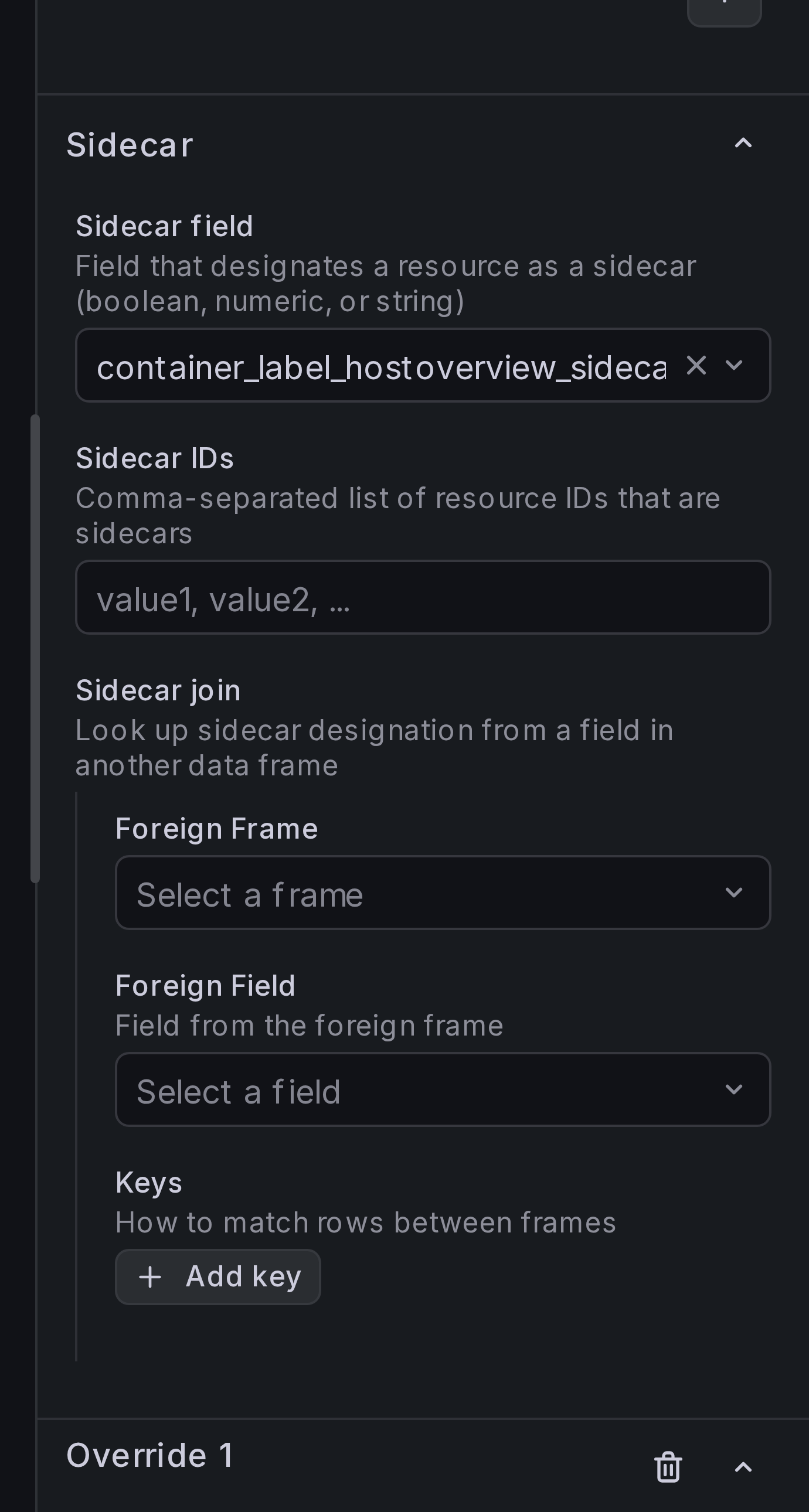
Under Sidecar options, there is a number of ways to mark resource as a side car. You can provide a static list of Sidecar IDs, you can select a field with boolean value, or you can use a join to pull this data from a separate query.
Step 2: Add sidecar designation
In our demo setup, sidecar containers have label hostoverview.sidecar: true,
so we'll use Sidecar field.
Under Sidecar > Sidecar field, select container_label_hostoverview_sidecar:
Result
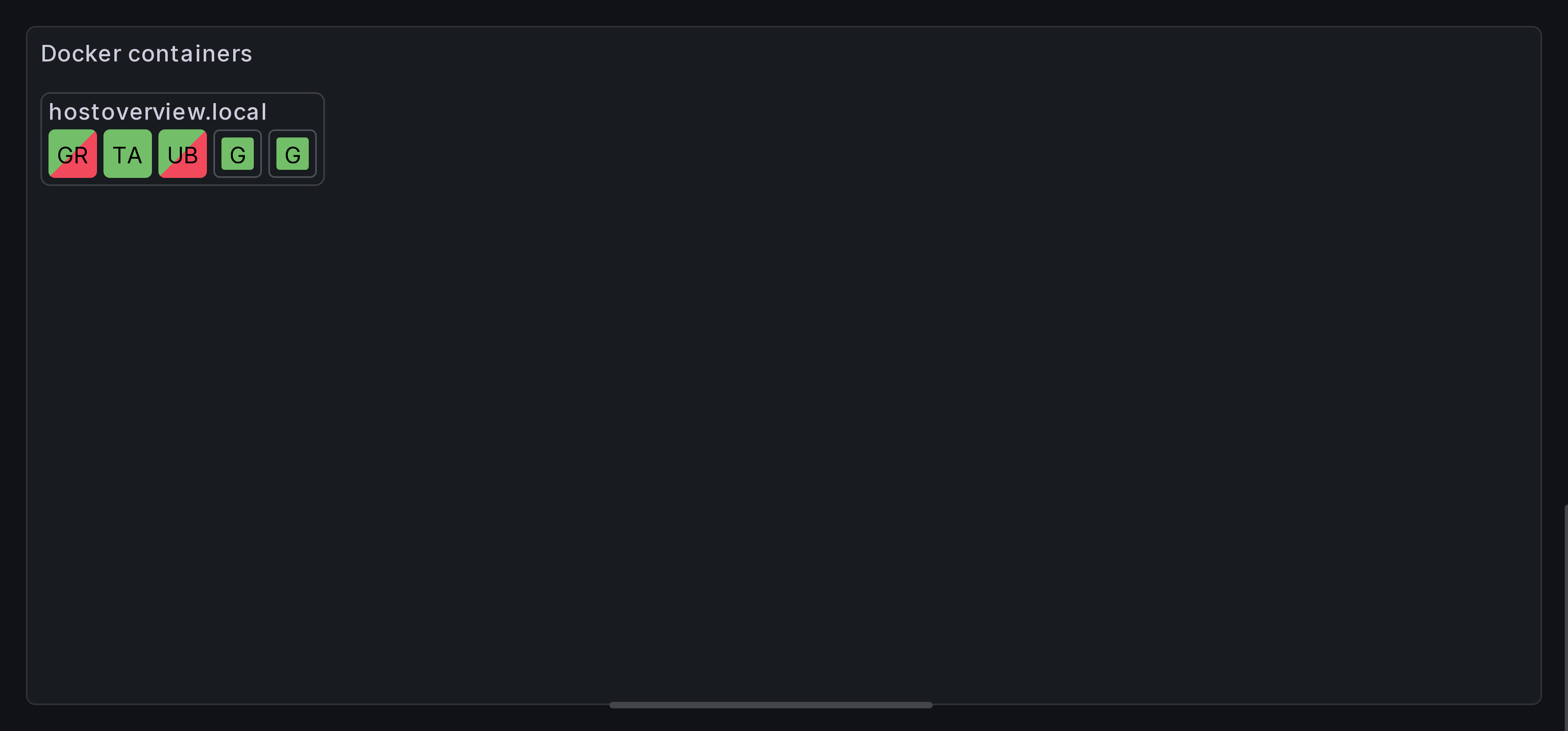
You should now see sidecar containers using smaller cells. They're sorted after all other containers.
How sidecar field values are interpreted
When using Sidecar field, the panel interprets the field value depending on its type:
- String fields — the values
"true","yes", and"1"(case-insensitive) are treated as sidecar. All other strings (including empty) are not. - Numeric fields — any non-zero value is treated as sidecar.
- Boolean fields —
trueis sidecar,falseis not. - Null or missing values — always treated as not a sidecar.